I am excited today, to FINALLY release a WordPress theme that I have been working on. In all of it’s glory, A Daring Inspiration.
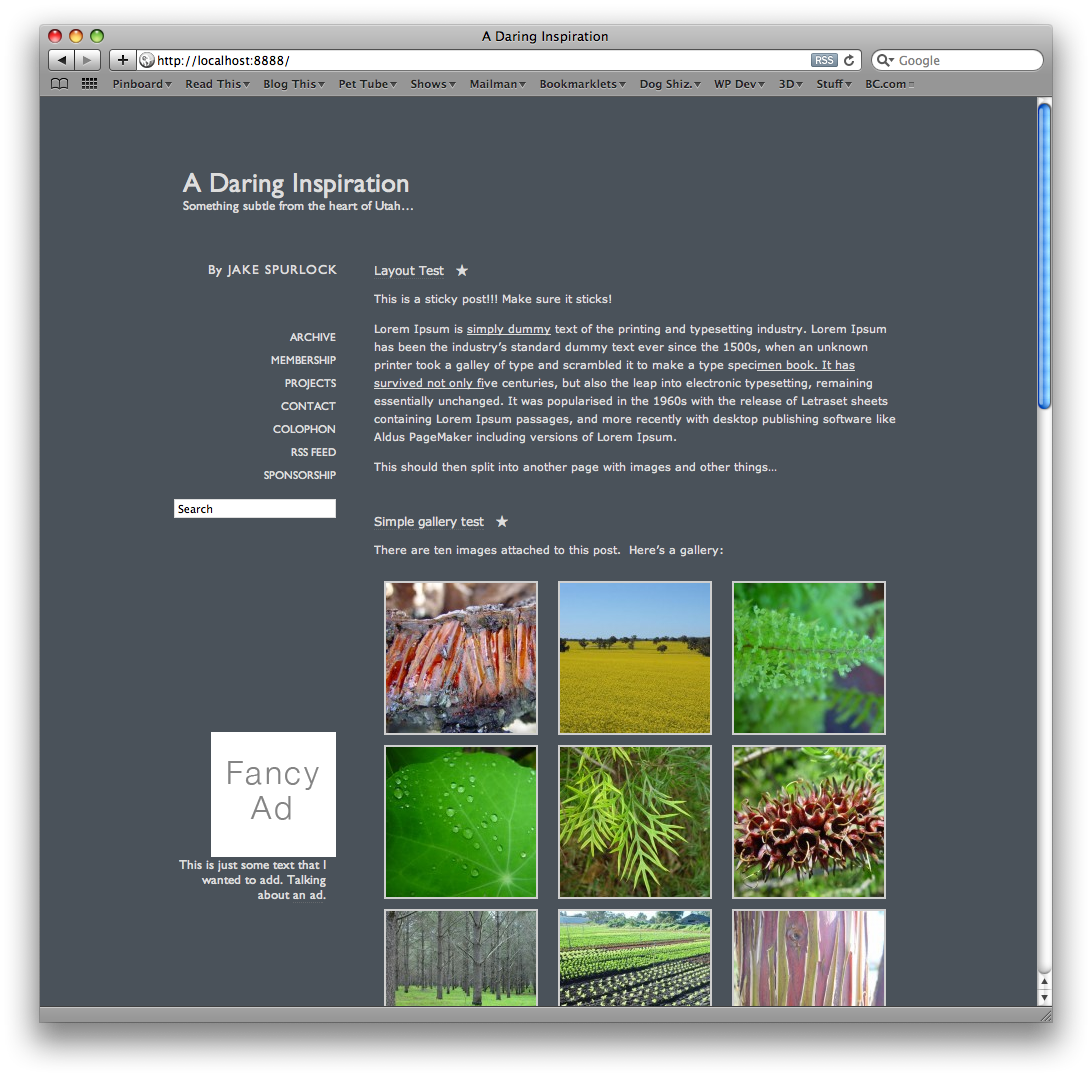
Daring Inspiration is a theme that I have had kicking around in my head for a long time. For those unfamiliar, there is a great site on the internet run by mac pundit, John Gruber called Daring Fireball. John write simple text posts, and shares them in a link style that lends itself to being more of a link style blog then a traditional one.
With that being said, this theme is GPL licensed, XHTML valid, and rocking in its simplicity.


Neat and inspiring. You never cease to amaze me.
Pingback: WordPress Theme Releases for 08/08 | Weblog Tools Collection
Pingback: WordPress Theme Releases for 08/08 | BlogBroker24-7
Pingback: wordpress????:2009.8.8 | Wordpress Tea House
Pingback: WordPress Theme Releases for 08/08 | bloground.ro - Blogging resources, WordPress themes and plugins for your development
Pingback: WPTMPG
Pingback: Daring Inspiration – ????
Pingback: A Daring Inspiration WordPress Theme
Really like this theme! Good design.
Pingback: WordPress Theme Releases for 08/08 | Word Press Magazine
Pingback: WordPress Theme Releases for 08/08 | Wp Themes
Let me guess how long it takes for this one to disappear. My advice would be to take it down now. John’s website is one of the very best around and the design is his website’s identity. He doesn’t take kindly to copies of it being made whether or not they acknowledge or are ‘inspired’ by it. Especially, a wordpress theme that is going to end up on lots of other people’s websites.
Gazzer,
I didn’t copy his website, I was inspired by it. If you put the two side by side, there are numerous differences. Notably the way that permalinks for his link account are handled, and dates based loops. Colors are similar, layout is similar, but so is every minimalistic type based, two column website on the internet. Gruber is a great guy, and I would never dare steal content from him (what people are really coming to his website for…). But, would I takes inspiration from his simple two-column text based theme?
Absolutely.
Because it is gorgeous.
Pingback: Wordpress Theme Baru Tanggal 8 Agustus 2009 | melodanta.com
Pingback: WordPress Theme Releases for 08/08 | Wizpress.com
Pingback: WordPress Theme Releases for 08/08 | BloggWP
Pingback: WordPress Theme Releases for 08/08 « Web And Graphics Design Tutorials
Pingback: 13 Best Free WordPress Themes on Aug |Free Resources Web
Jake, thanks for this awesome theme!
My blog should be up and running in a few days’ time and am going with this theme!
Just wanted to know if there is any fix for the sidebar to show properly in IE6? It gets pushed down to the bottom. I know IE6 is not a fav browser among web designers. Still thought I will ask you if you know of any fix.
If there is no easy solution, don’t bother! I am anyways installing a plugin that tells users to upgrade to a better browser.
Thanks again for this theme!
Hi Jake,
I liked your theme, but don’t have a clue how to use it.. I’ve downloaded it off of WordPress themes and not sure where to start. Please contact me by email, I may just have you design my site for my business.
Thanks Cami
Would love to get in touch about building a site for you!
Jake,
Please send me your email or a number where I can reach you to discuss our options for a website.
Thanks
Cami
Pingback: How to: Point your post permalink to an external site – Jake Spurlock
Great theme, Jake. I’ve slightly modified it and am using this on a personal site: http://photoappreviews.com/
However, there’s a thing I can’t track down: How do you replace the stars in ULs and from showing up next to posts that have been read?
Thanks again for the great work.
Jake -how do I remove the word “by” that appears next to a post (for author’s name)? I removed it from index.php – but it’s still showing up on the site. Is there another place I can find it and remove it – I don’t want anything about the author displayed?
Thanks so much,
Nancy
Nancy, you just need to remove it from the single.php file… Should work like a charm then.
Is it possible to have the post title’s link to external sites?
How would we change the code to do so?
Not that hard at all with a plugin that I have available. Check this post out:
How to post your permalink to an external site