I’ve been on a transcription kick lately. After discovering the built-in transcription features in iOS 26, I started wondering why the same thing didn’t exist on the Mac. I had audio files—meeting recordings, voice memos, podcast clips—sitting on my desktop, and getting them into text meant either uploading to some cloud service or cobbling together a janky workflow.
So I built ScriptStrip.
The Idea
The premise is dead simple: drag an audio or video file onto the app, get a transcript. No accounts, no uploads, no subscriptions. Everything happens on-device using Apple’s speech recognition, so your recordings never leave your Mac.
What It Does
- Drag and drop — MP3, M4A, WAV, MOV, MP4, whatever. Drop it in, get text out.
- On-device processing — All transcription runs locally. Your audio stays private.
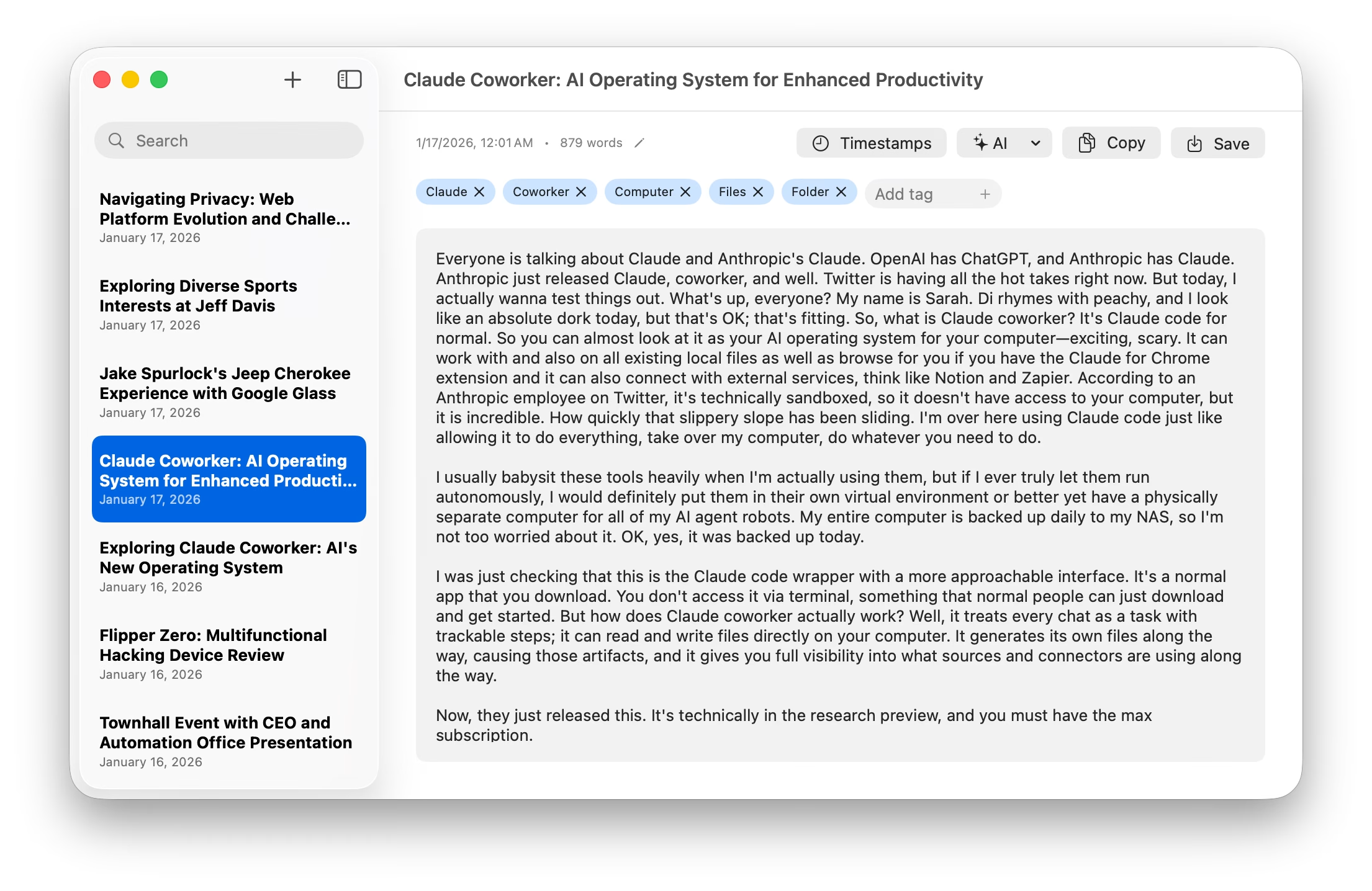
- AI formatting — Transcripts are messy. One click cleans them up—adds paragraphs, fixes punctuation, removes the “ums” and “you knows.”
- Timestamps — For longer recordings, you can view the transcript with timestamps to jump around.
- Search and tags — All your transcripts are saved and searchable. I added auto-tagging that pulls out key topics.
The AI Stuff
macOS 26 includes Apple’s Foundation Models framework, which gives you access to on-device language models. I’m using it for two things: generating titles from transcript content (so you don’t end up with a list of “Recording 1,” “Recording 2”) and the formatting pass that turns raw speech-to-text output into something readable.
Why Not Just Use [X]?
There are plenty of transcription services out there. Most of them upload your audio to their servers, which isn’t great if you’re transcribing anything sensitive. Some charge per minute. Others require yet another account.
My previous workflow involved firing up Terminal and trying to remember the correct ffmpeg incantation to extract audio from a video file. I’d inevitably forget a flag, hit up ChatGPT, copy-paste the command, and then pipe the result into some other tool. It worked, but it was the kind of friction that made me avoid doing it at all.
I wanted something that just worked—drag a file, get text. No Terminal, no cloud uploads, no accounts. Just a simple app that lives in my dock and does one thing well.
Get It
ScriptStrip is available on the Mac App Store. It requires macOS 26 and works best on Apple Silicon.

Leave a Reply