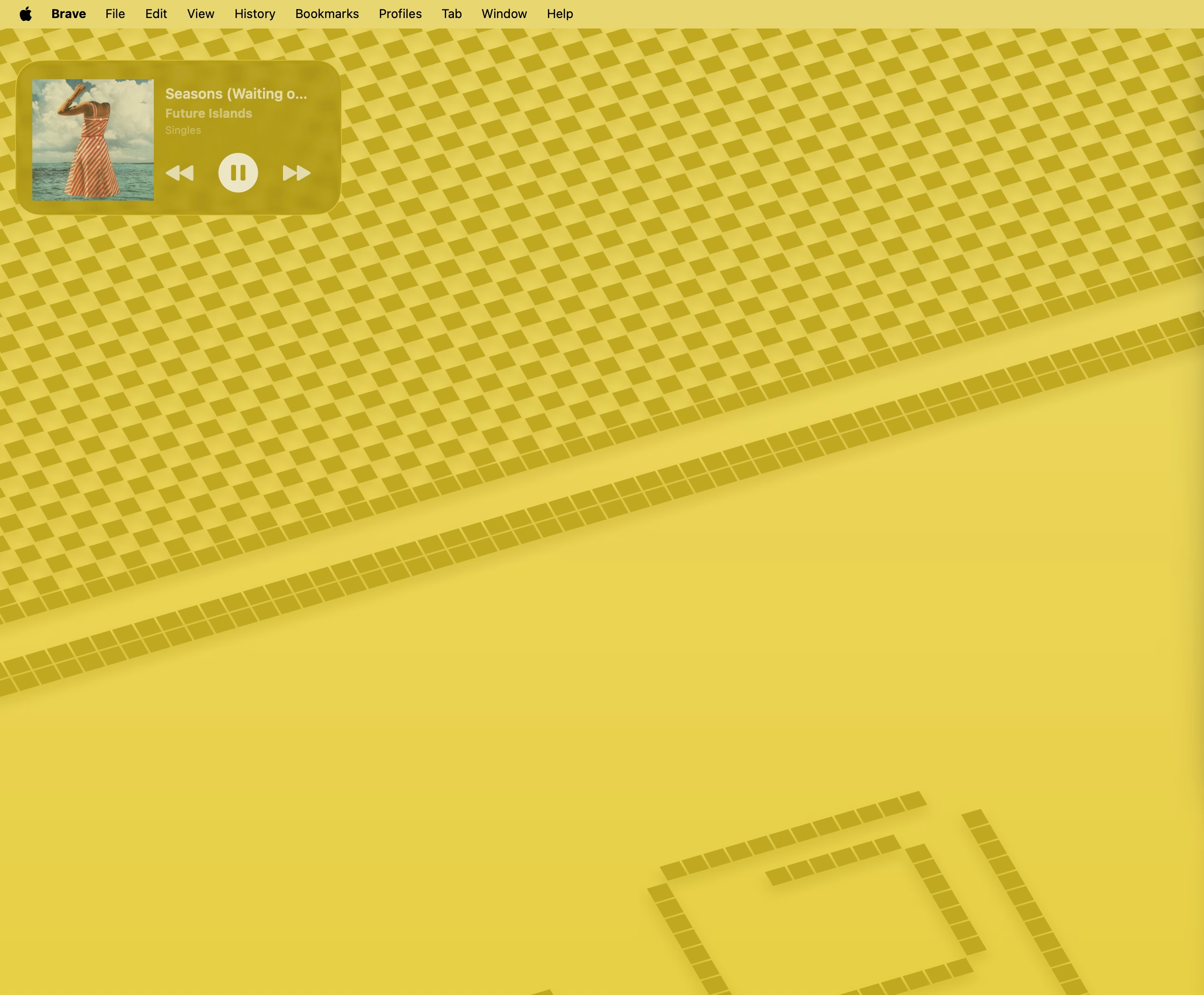
Remember when music was physical? You’d flip through a stack of CDs, admiring the album art before deciding what to spin. The jewel case was part of the experience—the artwork set the mood before the first note played.
Streaming killed that ritual. Spotify buried album art behind tiny thumbnails, and unless you’re staring at your phone, you never see it. I wanted that back.
The Problem
I spend most of my day looking at my Mac, not my phone. When music is playing, I want to see what’s playing—really see it. The big, beautiful album artwork. Not hunt for a browser tab or pull out my phone.
macOS widgets seemed like the obvious solution. A glanceable “Now Playing” widget right on my desktop. But Spotify doesn’t offer one. Third-party apps either wanted too many permissions or looked like afterthoughts.
So I built my own.
Jewel Case
Jewel Case is a simple Mac app that does one thing well: shows you what’s playing on Spotify.
The menu bar shows the current track. Click it, and you get the full album art with playback controls. But the real magic is the widget—drop it on your desktop, and your currently playing album art is always visible. It’s like having a tiny record player on your desk.
Features:
- Desktop widget — Small or medium size, shows album artwork and track info
- Menu bar player — Quick access to playback controls without switching apps
- Interactive controls — Play, pause, skip—right from the widget (Premium required)
- Automatic updates — Artwork refreshes as tracks change
The Technical Bits
Built with SwiftUI and WidgetKit. The trickiest part was getting the widget to update reliably—widgets don’t have continuous network access, so the main app caches the current track data to a shared App Group container. The widget reads from there instead of hitting Spotify’s API directly.
OAuth was the usual dance. If you’ve ever implemented Spotify auth, you know.
Get It
Jewel Case is available on the Mac App Store — free to download.


Leave a Reply